
The right browser for every link.
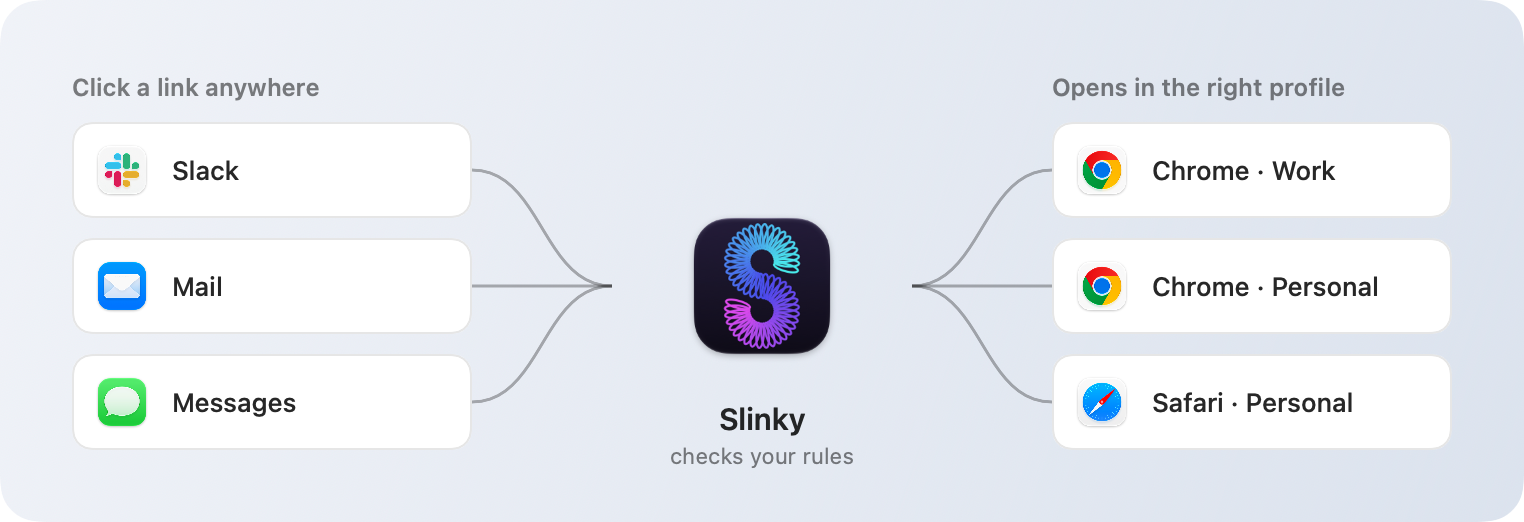
If you juggle a work browser and a personal one, you know the drill: click a link, land in the wrong place, copy it, paste it somewhere else. Slinky fixes that. It becomes your default browser, and every link you click goes straight to the browser and profile you'd have chosen anyway.
Version 0.1.0 · Requires macOS 15 or later · Signed and notarized by Apple
How it works
You decide once. Slinky remembers.
Write a rule, and the link just opens
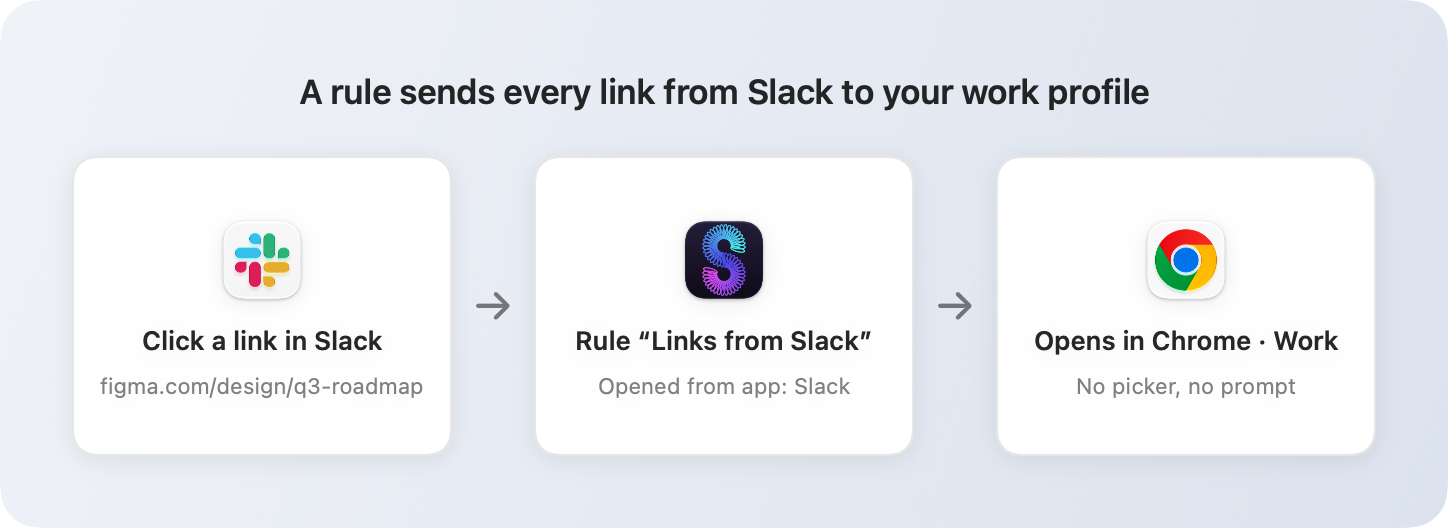
Everything from Slack goes to your work Chrome profile. YouTube goes to Safari. Links you ⇧-click go to Firefox. Rules can match the website, the app you clicked in, or the keys you were holding, and Slinky uses the first one that fits.
No rule? Just pick
A small menu pops up right where your pointer is, listing your browsers and profiles. Hit 1 through 9 to choose, or ⌘C if you only wanted to copy the link. It's gone before you've noticed it.
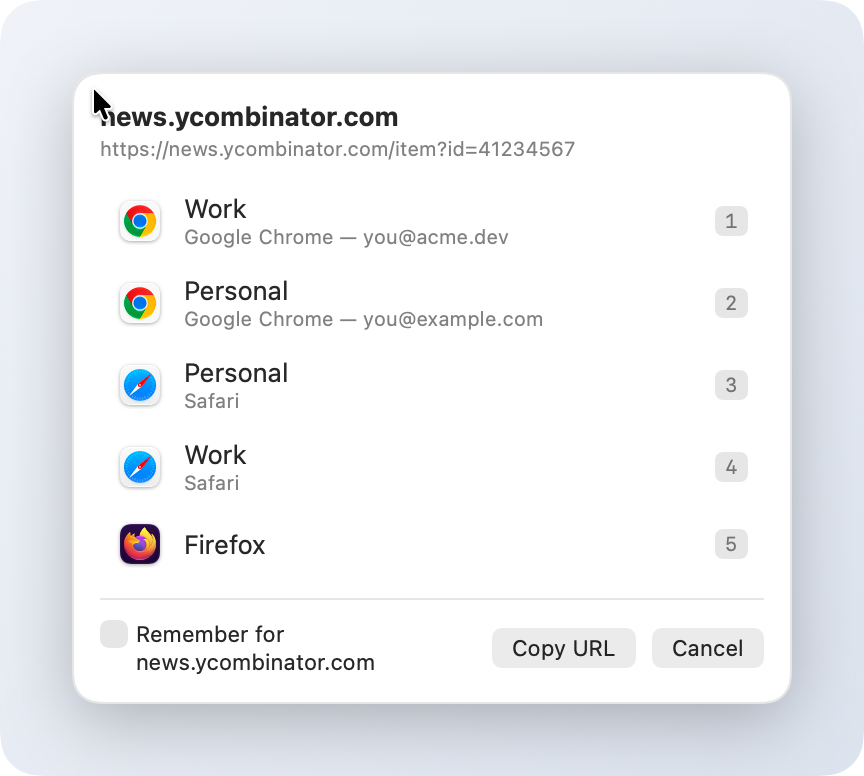
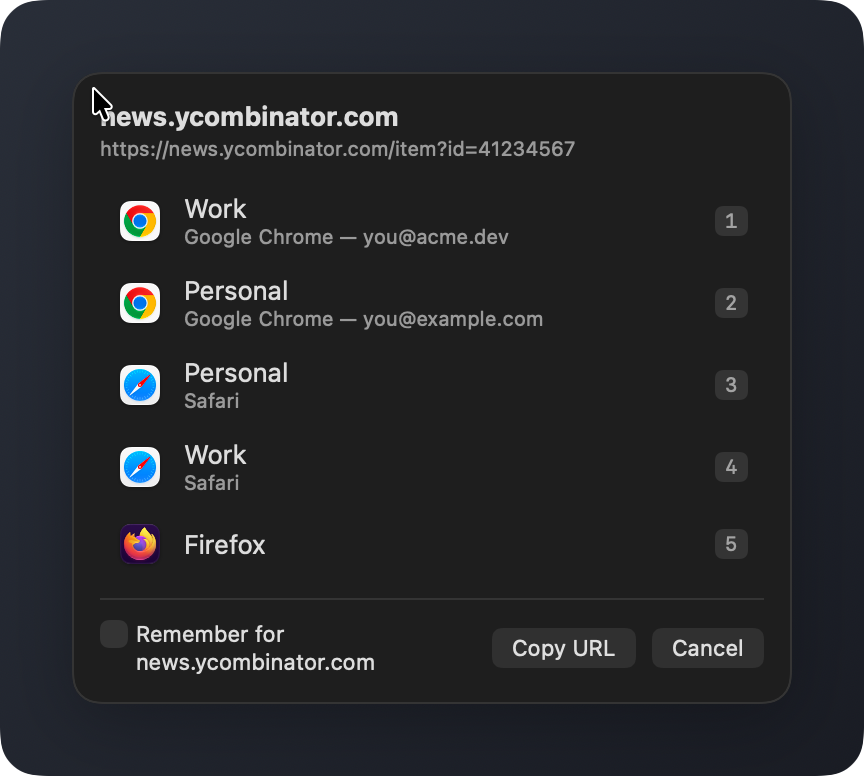
Teach it as you go
Tap R in the picker and your choice becomes a rule for that site. Going the other way is just as easy: hold ⌥ while you click any link and Slinky asks instead of deciding.
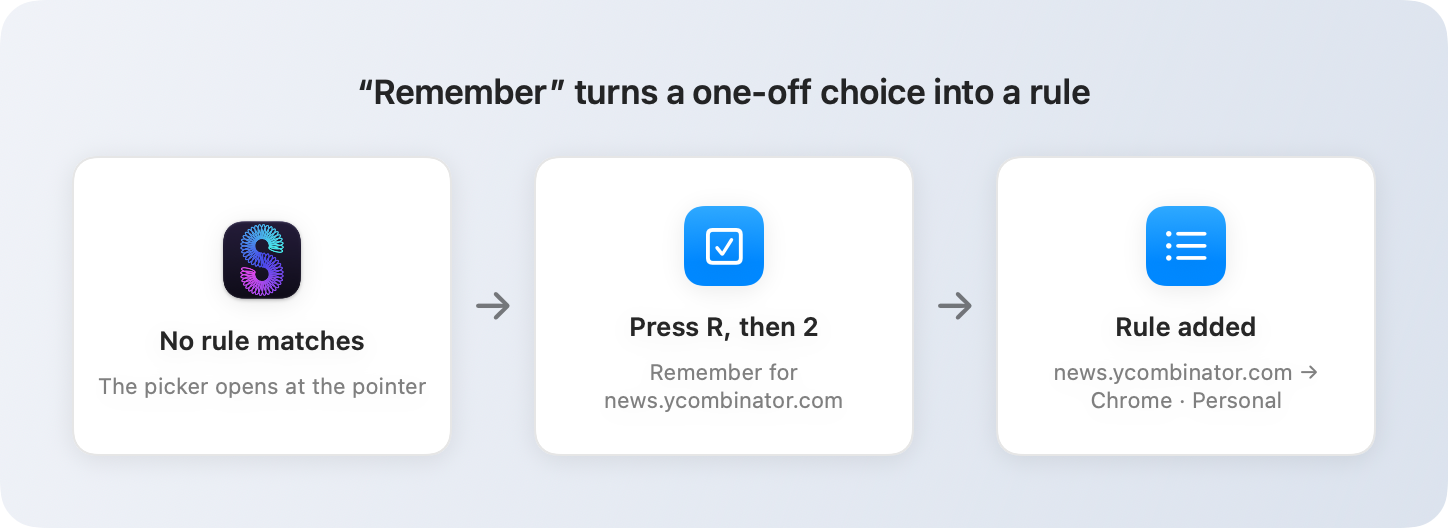
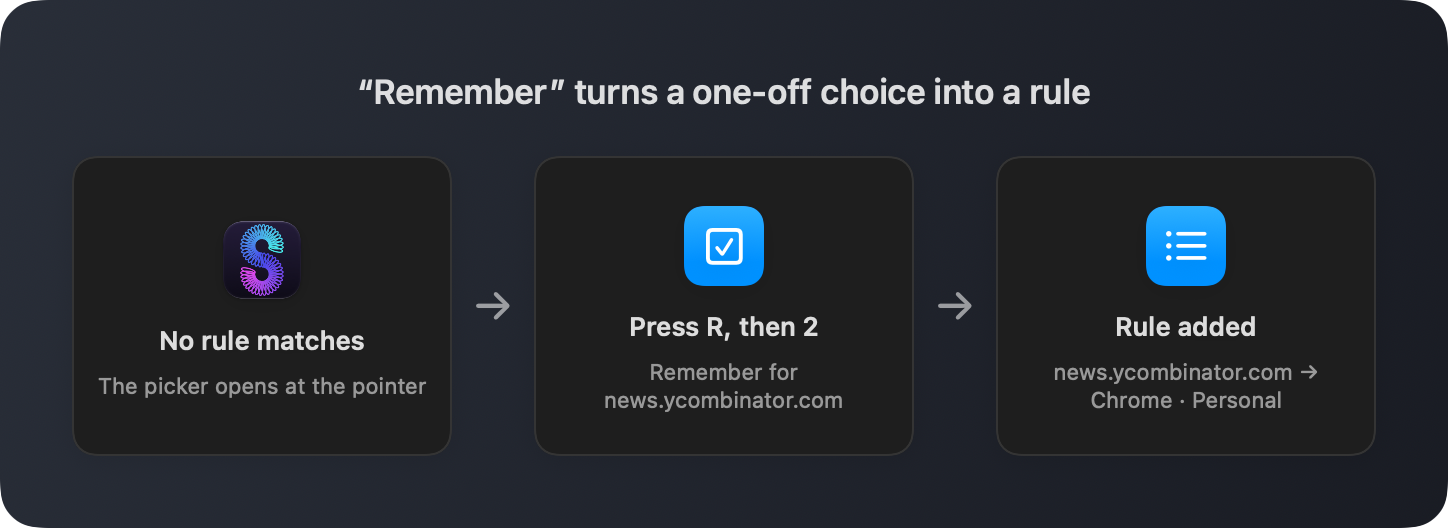
Rules
As simple or as specific as you like.
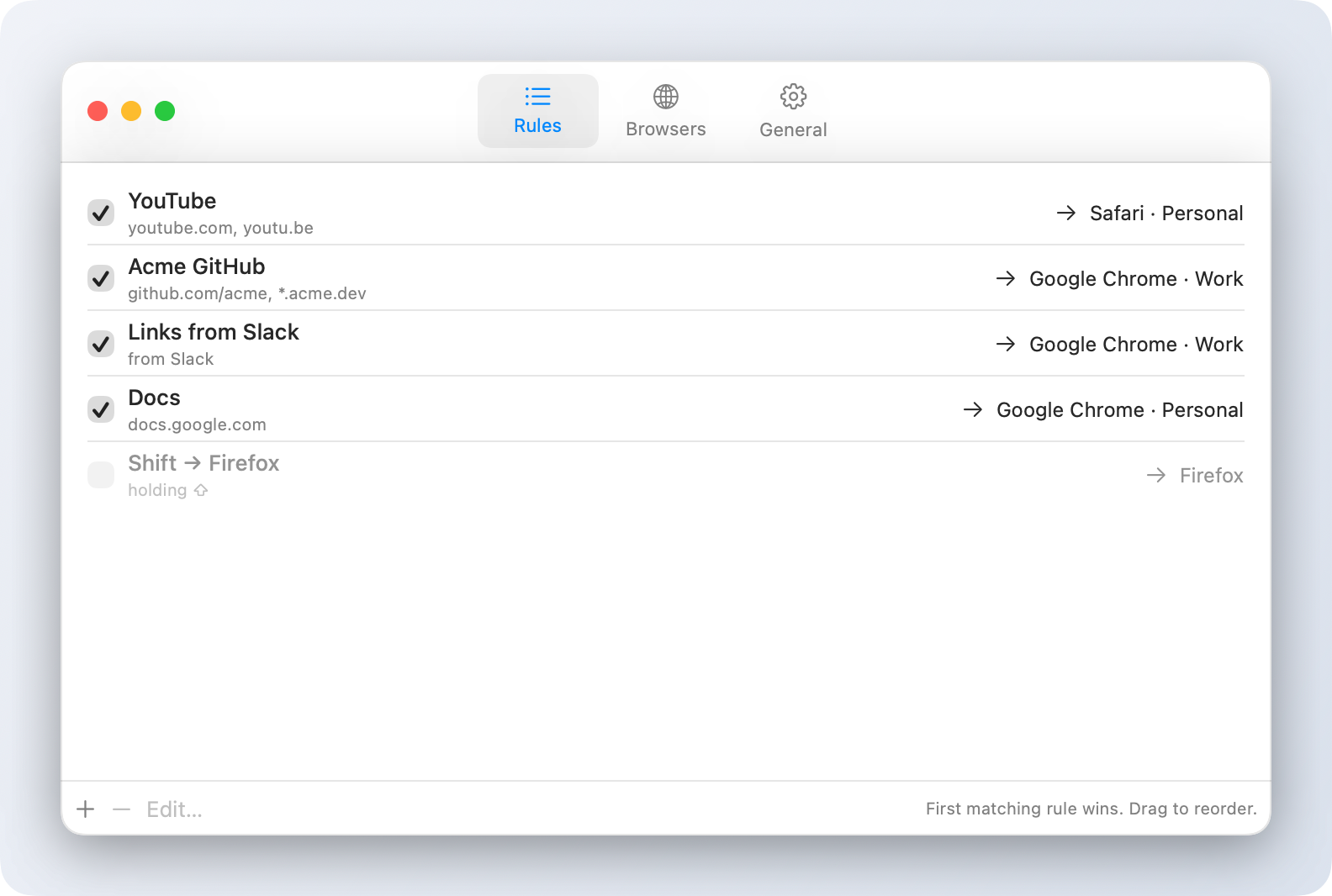
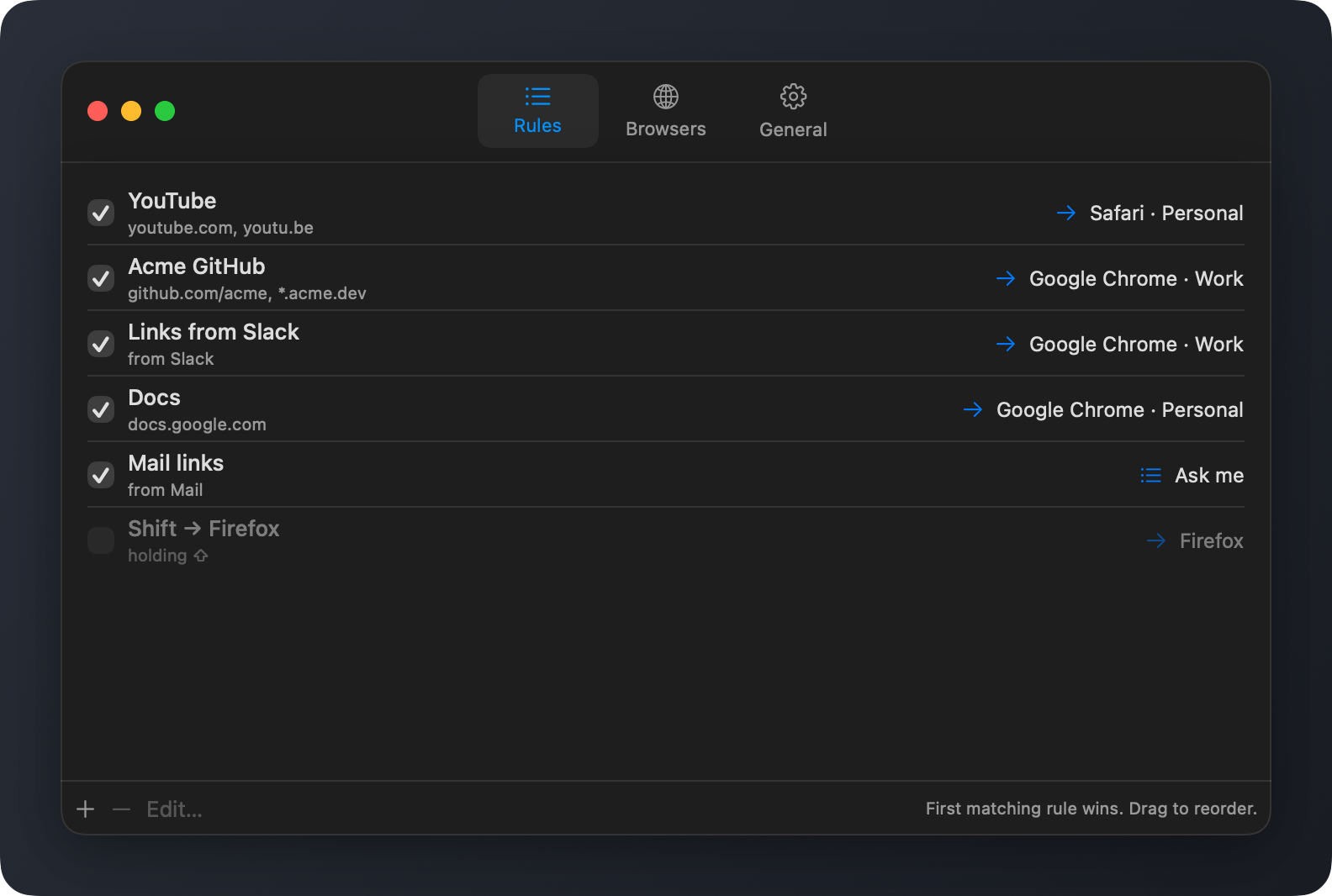
A rule is a few conditions and a destination. Slinky reads your list from the top and uses the first rule whose conditions all match. Here's a typical set:
| When the link… | and it came from | and you're holding | open it in |
|---|---|---|---|
youtube.com, youtu.be | any app | — | Safari · Personal |
github.com/acme, *.acme.dev | any app | — | Chrome · Work |
| anything | Slack | — | Chrome · Work |
docs.google.com | — | Chrome · Personal | |
| anything | any app | ⇧ | Firefox · Work |
| Nothing above matched, or you held ⌥ | Ask me (the picker) | ||
Three kinds of conditions
- The website
- One or more patterns. A plain domain like
youtube.comcovers its subdomains too;*.acme.devmeans only subdomains;=example.commeans exactly that host; andgithub.com/acmematches that domain only for links under/acme. - The app you clicked in
- Slinky knows where the click came from, so everything from Slack can go one way and everything from Mail another. Pick apps from the ones running, or choose any app on your Mac.
- The keys you're holding
- Any mix of ⌘ ⌥ ⌃ ⇧. Handy for a "send this one to the other browser" shortcut without setting up anything per site.
Leave a condition empty and it matches everything, so a rule can be as broad as "all links from Slack" or as narrow as "⇧-clicked links to one GitHub organization from Mail". Drag rules to change their order, or untick one to pause it.
The details
Profiles, not just browsers
Your Chrome, Firefox and Safari profiles each get their own spot in the list, so work tabs never end up next to personal ones. Edge, Brave and the rest are there too.
Built for the keyboard
Numbers choose, R remembers, Esc backs out. Your hands never leave the keys.
Same rules on every Mac
Turn on iCloud Drive sync and your rules follow you from the desk to the laptop. Or leave it off and keep them local.
Nothing to sign up for
No account, no analytics, no servers. Your rules live in one plain JSON file you can read and edit yourself.